
Learn how to book a service below
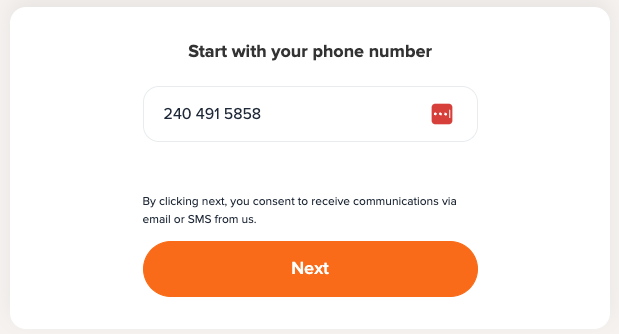
1️⃣ Log In
Go to our booking page and log in using the mobile number we have on file.
If that doesn’t work, please reach out to us at info@thedogstay.com — we’ll help you get set up.
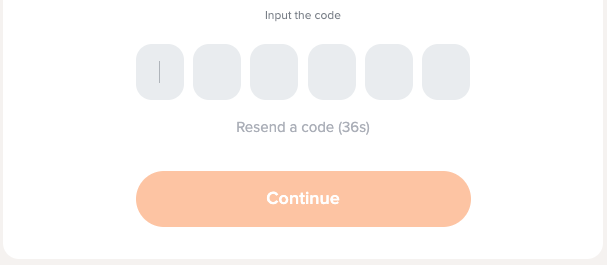
You’ll receive a 6-digit code by text message to verify your phone number.
2️⃣ Access Your Account
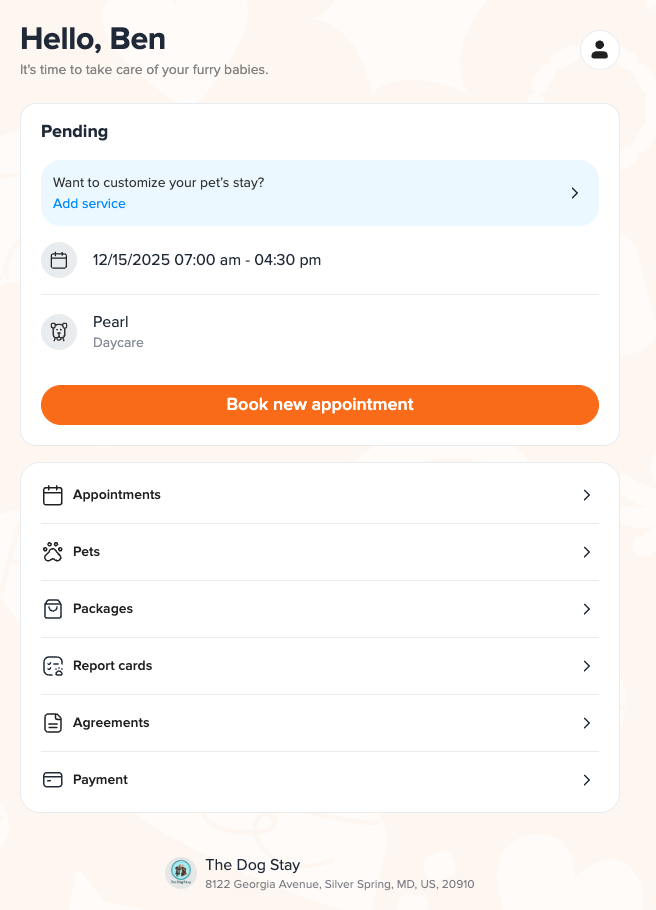
Once logged in, you’ll land on your Customer Account Page.
Tap “Book New Appointment.”
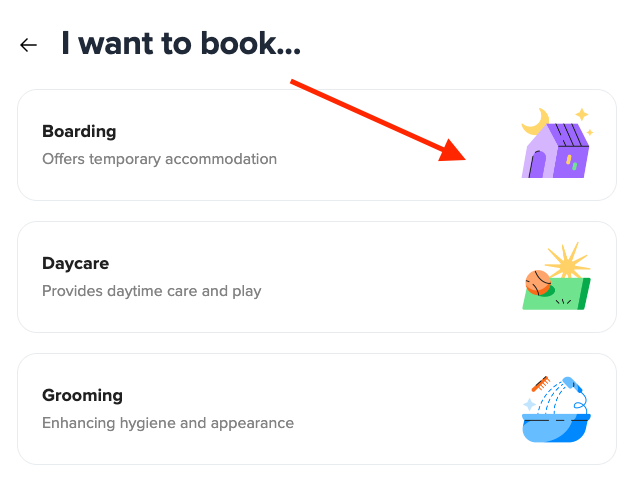
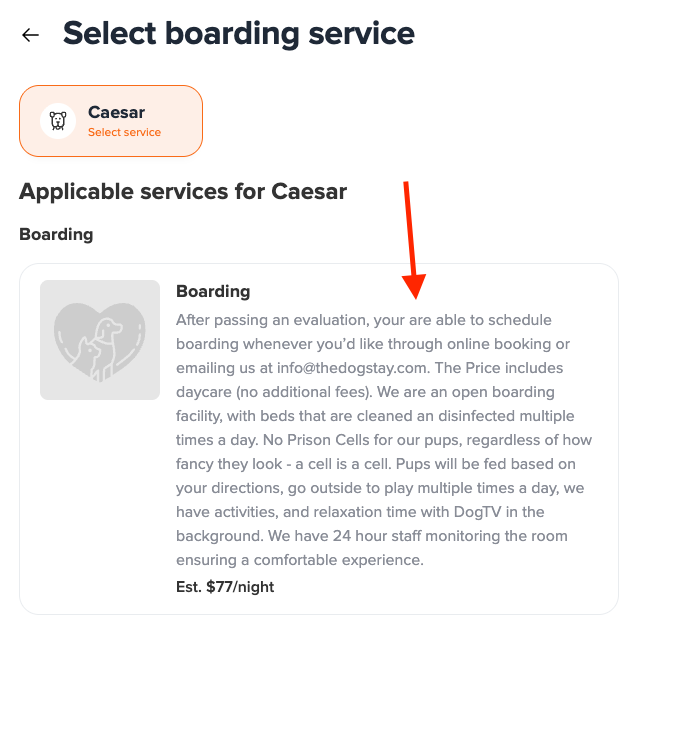
Boarding – Overnight stays in our cozy, crate-free suites
Daycare – Playtime and enrichment during the day
Grooming – Spa services (walk-ins welcome based on capacity, if your pup’s eval and vaccines are current)
3️⃣ Choose Your Service
Select the type of service you’d like — for example, Boarding.
4️⃣ Choose Your Pet
Pick which of your pets you’d like to book for.
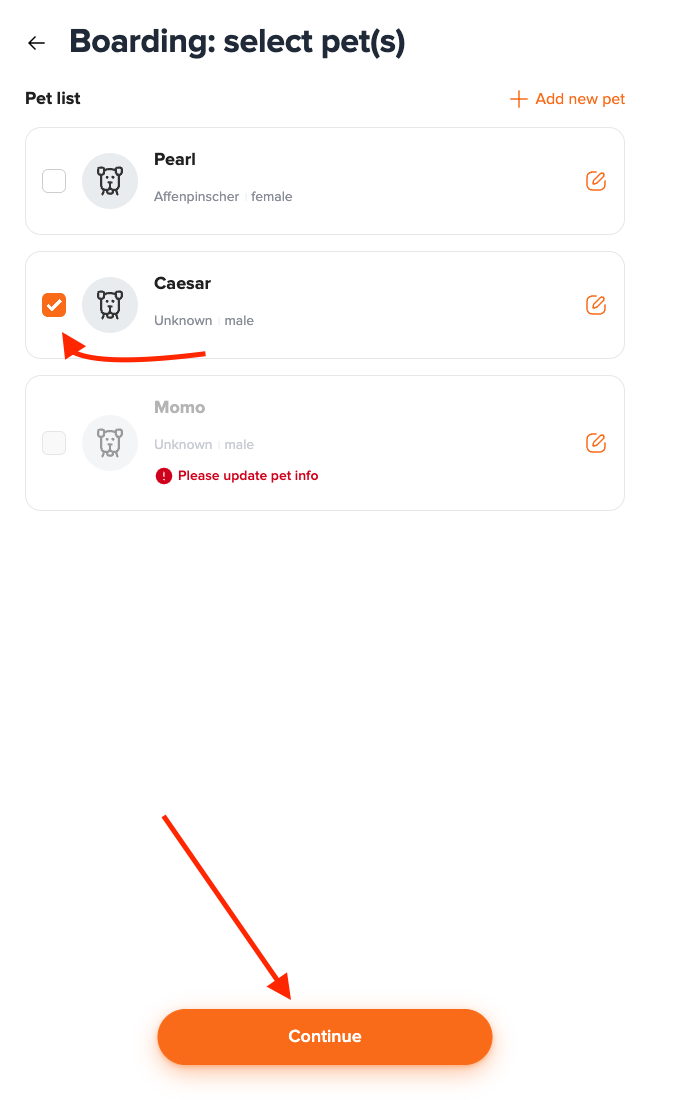
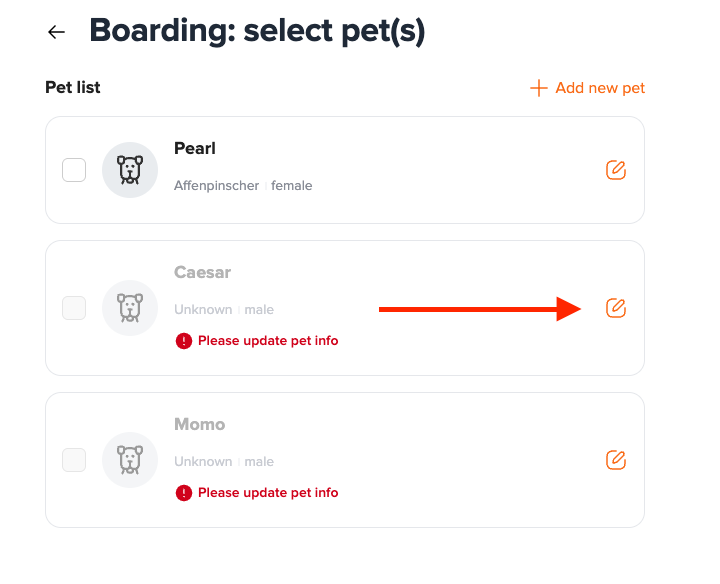
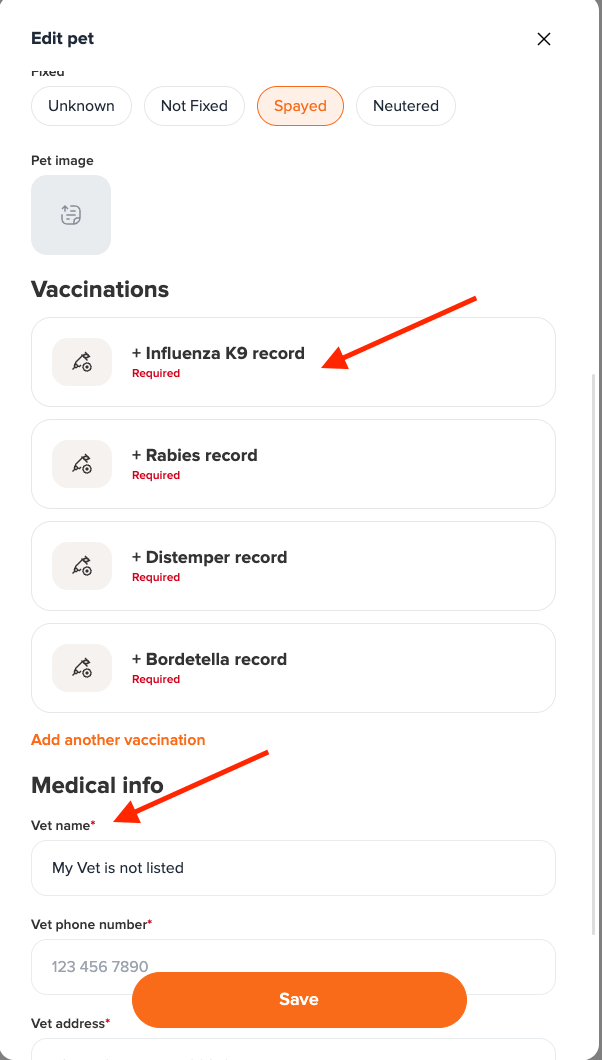
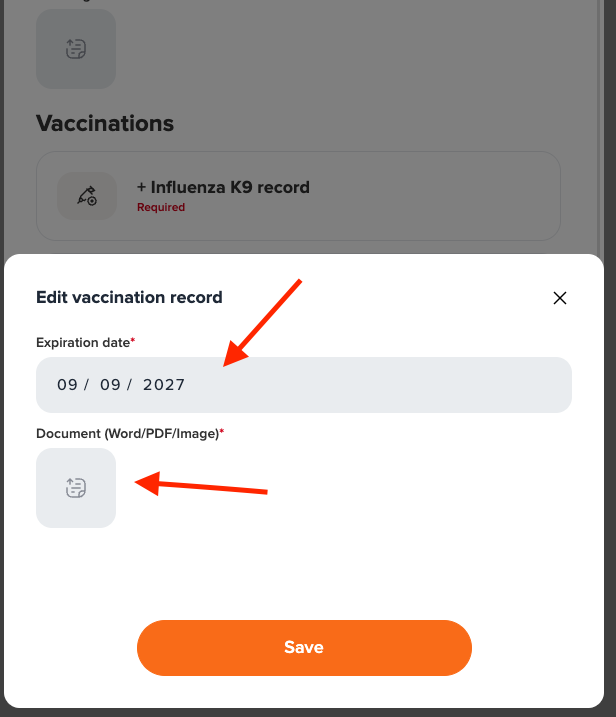
If you’re prompted to update vaccine records, please:
Enter the expiration dates
Upload proof of vaccination from your vet
Tap Save
Make sure all required fields are filled in before continuing.
5️⃣ Add Services
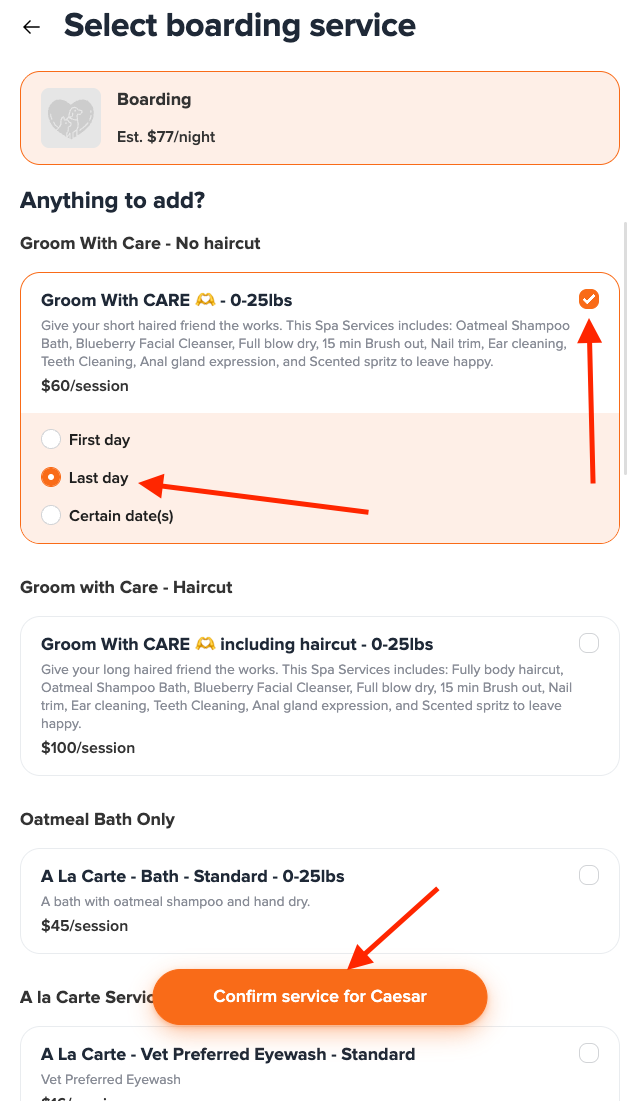
You can also add grooming while boarding — choose the service or skip it and click Confirm Service for your pet.
6️⃣ Select Drop-Off & Pick-Up Times
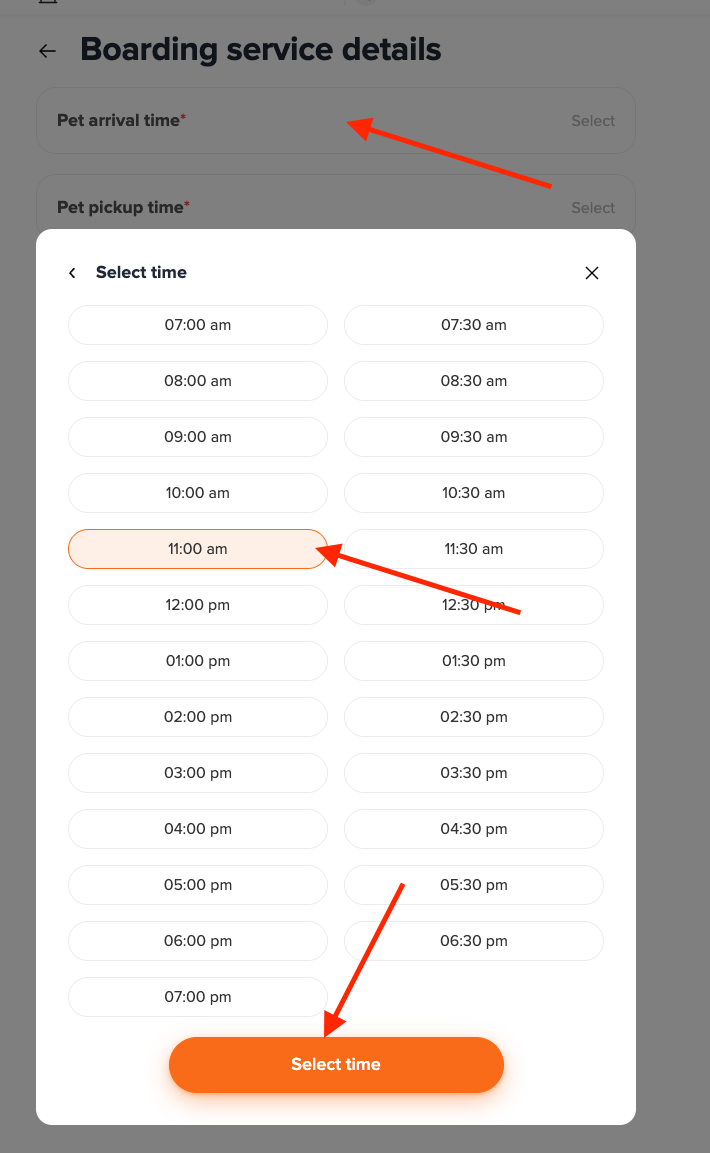
Pick your estimated drop-off and pick-up times (don’t worry if they change — we’re flexible!).
Then tap Select Time.
7️⃣ Add Notes
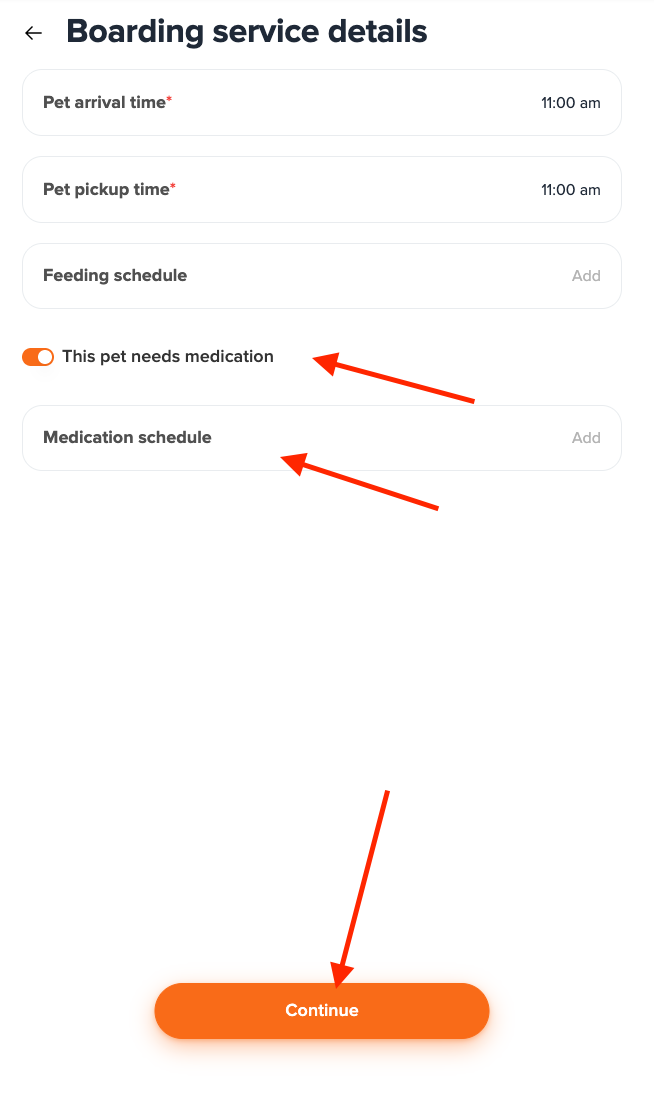
Include any important details such as medications, feeding instructions, or special requests.
Then tap Continue.
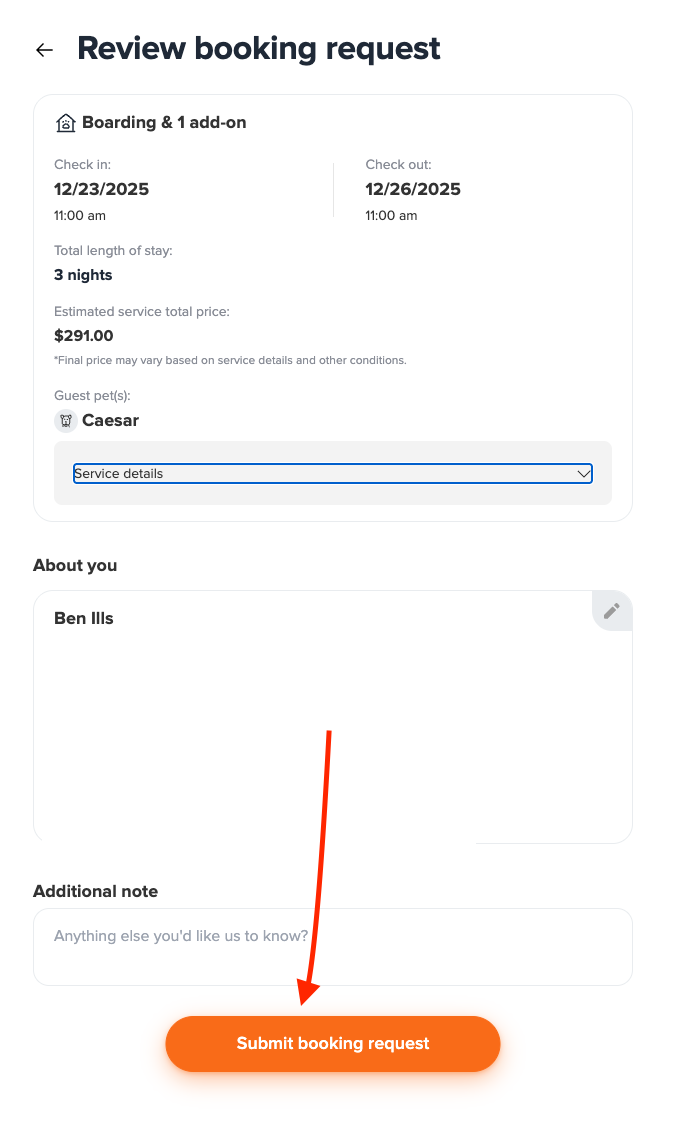
8️⃣ Review & Submit
Double-check your details and tap Submit Booking Request.
You’ll receive a confirmation by text or email, and we’ll follow up once your booking is officially confirmed.
Card On File
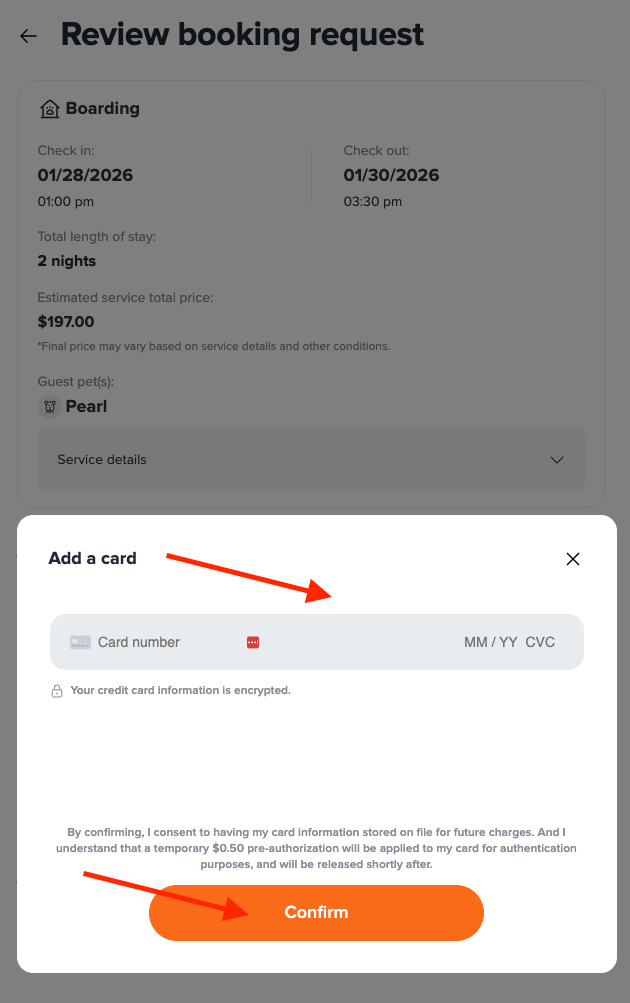
A valid card on file is required to complete your booking request.
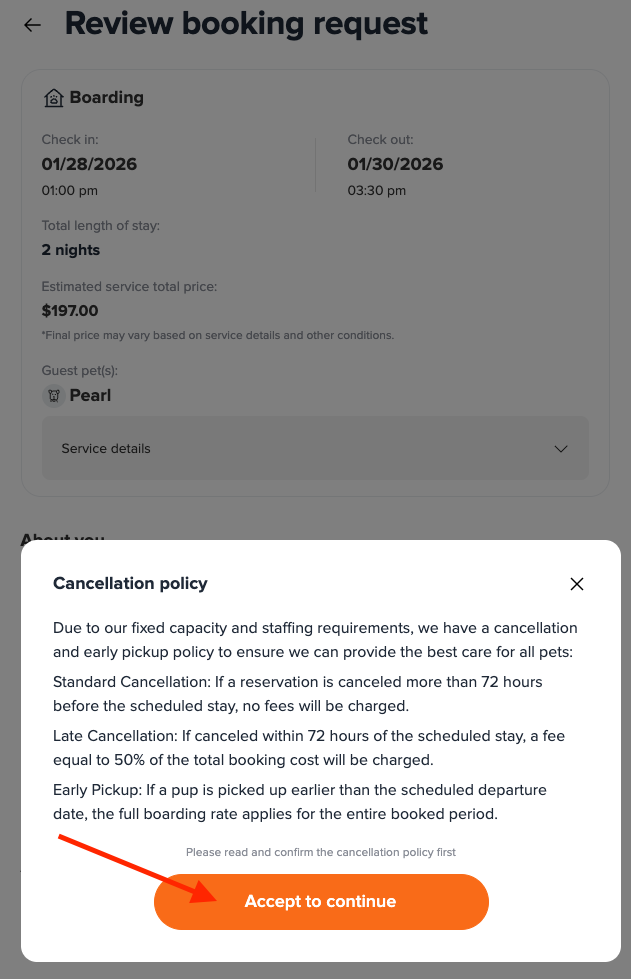
If a payment method is not already saved to your account, you’ll be prompted to add one and accept our cancellation policy before submitting your request.
Your card will not be charged at the time of booking.
❤️ Thank You!
We can’t wait to welcome your dog back for more tail-wagging fun, playtime, and relaxation — The Dog Stay way: crate-free, safe, and full of love.